Odoo ZATCA Phase 2 Integration: Requirements, Waves and Onboarding Steps
Odoo ZATCA Phase 2 explained: XML, cryptographic stamp, QR, Fatoora onboarding in Odoo, and Wave 25 (SAR 187,500, due 1 Feb 2027) for Saudi firms.
Updated 28 November 2026 · Reviewed by Mastery IT engineering team · Sources at the end
Quick answer
ZATCA Phase 2 requires Saudi VAT taxpayers to issue e-invoices as XML, stamp them cryptographically, add a QR code and connect their system to the Fatoora platform. In Odoo this is done with the Saudi localization and its e-invoicing module (l10n_sa_edi): complete company data, onboard each sales journal with an OTP, test in Simulation, then switch to Production. Wave 25 (revenue above SAR 187,500) must integrate by 1 February 2027.
Every new ZATCA integration wave pulls in smaller businesses, and the latest one reaches companies with taxable revenue just over SAR 187,500 a year. If you run Odoo, its Saudi localization already speaks ZATCA’s language; the work is in clean master data, correct onboarding and disciplined testing.
This guide explains what the Integration Phase actually requires, how ZATCA decides who is in each wave, how Odoo’s Saudi e-invoicing module connects to Fatoora step by step, and the mistakes that cause rejected invoices. We checked ZATCA’s official wave announcements and Odoo’s official documentation on 28 November 2026.
Mastery IT is an Odoo Learning Partner working with companies in Egypt and Saudi Arabia. Our Odoo ERP implementation and training service includes configuring and testing Saudi ZATCA e-invoicing and Egyptian ETA e-invoicing as part of the rollout.
What does ZATCA Phase 2 (the Integration Phase) require?
Phase 2, also called the Integration Phase, is the stage of Saudi e-invoicing (Fatoora) in which a taxpayer’s invoicing system must integrate with ZATCA’s systems and generate invoices in the required electronic format. Phase 1 (Generation) became enforceable on 4 December 2021; Phase 2 started on 1 January 2023 and is rolled out in waves.
According to ZATCA’s Detailed Guidelines for E-Invoicing (version 2, May 2023), the core technical requirements are:
- Compliant, onboarded solution. Invoices must come from an E-Invoice Generation Solution (EGS) that has been onboarded on the Fatoora portal, which issues, renews or revokes its Cryptographic Stamp Identifier (CSID).
- XML format. Invoices are generated in XML, or PDF/A-3 with the XML embedded, and are submitted to the Fatoora platform as XML through APIs.
- Cryptographic stamp. An electronic stamp, created with cryptographic algorithms, proves who issued the invoice and that its content has not been altered.
- QR code. Every Phase 2 invoice carries a QR code. For simplified invoices it must contain 9 tags in TLV base64 format.
- Additional data fields. These are listed in Annex 2 of the E-Invoicing Resolution, such as full seller and buyer details.
What is the difference between clearance and reporting?
Clearance and reporting are the two ways invoices reach ZATCA, and which one applies depends on the invoice type.
| Item | Standard tax invoice (usually B2B) | Simplified tax invoice (usually B2C) |
|---|---|---|
| Flow | Clearance: sent to Fatoora before it is shared with the buyer | Reporting: shared with the buyer first, then reported |
| Who stamps it | The Fatoora platform adds the cryptographic stamp and QR code to the cleared XML | Your system stamps the XML with its CSID and adds the QR code |
| Deadline | Before sharing with the customer | Within 24 hours of generation |
| Format sent to ZATCA | XML (not PDF/A-3) | XML (not PDF/A-3) |
| Format for the customer | XML or PDF/A-3 with embedded XML | Printed copy at once, or electronic if both parties agree |
Who is in scope, and how do the integration waves work?
An integration wave is a group of taxpayers that ZATCA selects by VAT-subject revenue and tells to integrate with Fatoora by a fixed date. You do not choose your wave: ZATCA notifies targeted taxpayers, at least six months before their integration date. Thresholds have fallen with each wave.
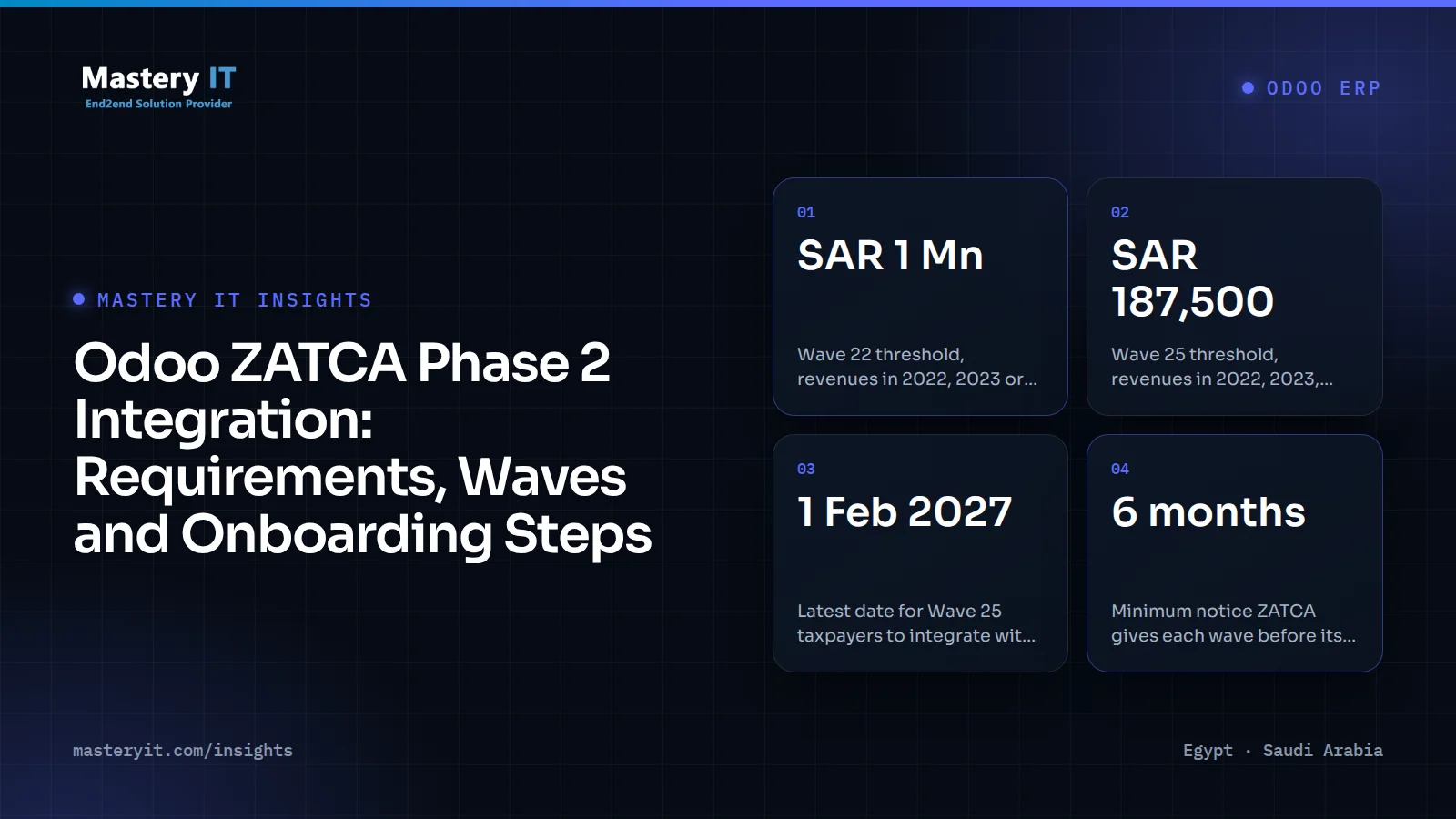
- SAR 1 MnWave 22 threshold, revenues in 2022, 2023 or 2024; integration by 31 December 2025 (ZATCA, March 2025)
- SAR 187,500Wave 25 threshold, revenues in 2022, 2023, 2024 or 2025 (ZATCA, 24 July 2026)
- 1 Feb 2027Latest date for Wave 25 taxpayers to integrate with Fatoora
- 6 monthsMinimum notice ZATCA gives each wave before its integration date
When we checked zatca.gov.sa on 28 November 2026, Wave 25 was the most recent announced wave. If your revenue crossed SAR 187,500 in any of those years, check your notification from ZATCA and plan to finish testing well before February.
How does Odoo support ZATCA Phase 2?
Odoo supports ZATCA through its Saudi Arabia fiscal localization, a set of modules that adds the Saudi chart of accounts, taxes, reports and the Fatoora API integration. Odoo 19.0 documentation lists these modules:
| Module | Technical name | What it does |
|---|---|---|
| Saudi Arabia – Accounting | l10n_sa | Default localization package, including the Phase 1 QR code |
| Saudi Arabia – E-invoicing | l10n_sa_edi | ZATCA Phase 2 API integration |
| Saudi Arabia – E-invoicing (Simplified) | l10n_sa_edi_pos | Phase 2 e-invoicing from Point of Sale |
| Saudi Arabia – Point of Sale | l10n_sa_pos | Compliance fields and behaviour for PoS invoices |
| Saudi Arabia – Accounting Reports | l10n_sa_reports | VAT and withholding returns |
| Saudi Arabia – Withholding Tax | l10n_sa_withholding_tax | Withholding tax on payments |
The ZATCA API mode is set in Accounting, Configuration, Settings, and has three modes: Sandbox, Simulation (Pre-Production) and Production. After an invoice is confirmed, Odoo shows a banner with a Process now button and records ZATCA’s answer in the chatter: green for accepted, yellow for accepted with warnings, red for rejected. Our software and digital transformation team connects this with your sales, inventory and PoS flows.
How do you onboard Odoo with ZATCA, step by step?
Onboarding is the process that links each Odoo sales journal to Fatoora and obtains its CSID. Based on Odoo’s official documentation:
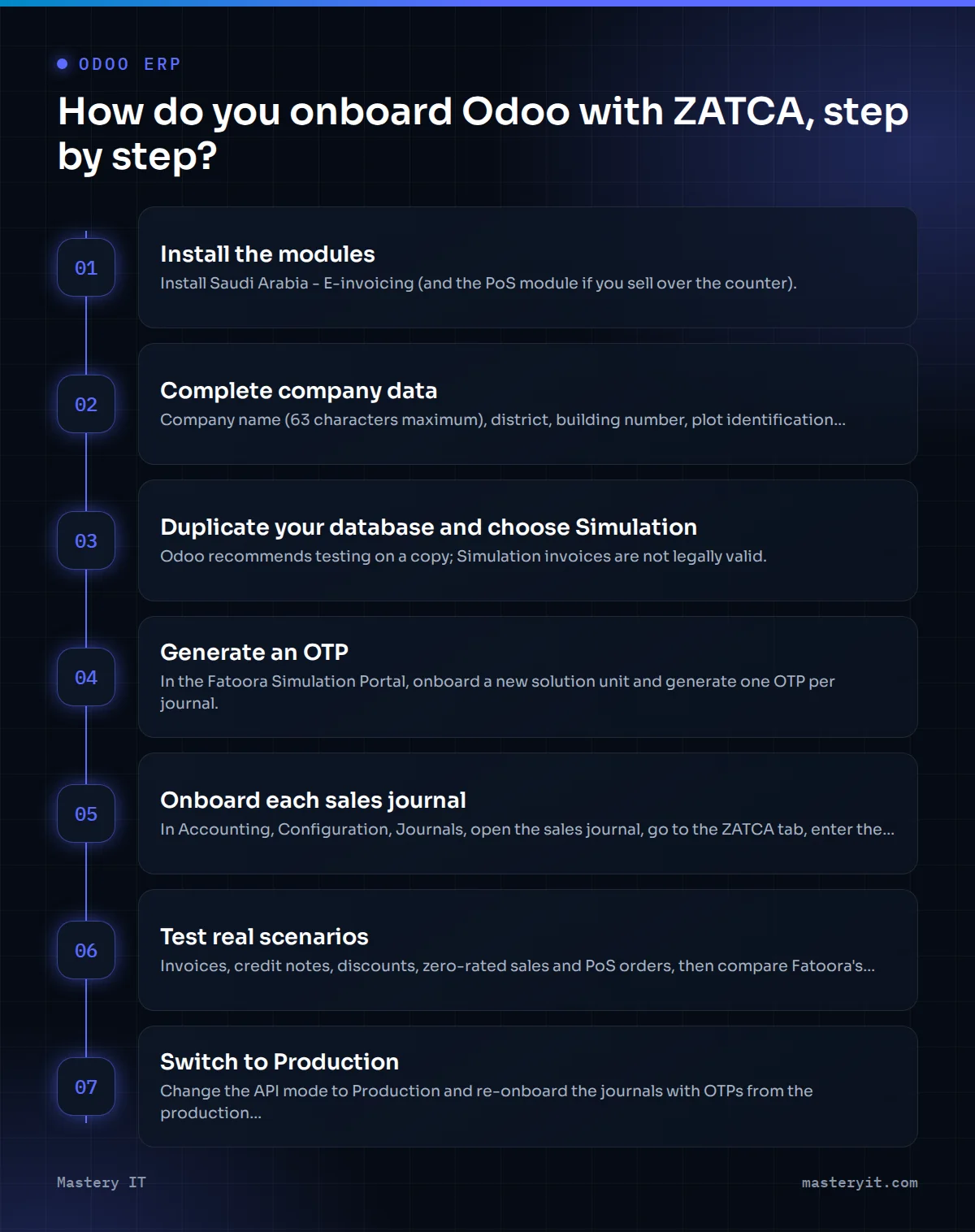
- Install the modules. Install Saudi Arabia – E-invoicing (and the PoS module if you sell over the counter).
- Complete company data. Company name (63 characters maximum), district, building number, plot identification, identification scheme (for example the Commercial Registration Number) with its number, VAT number, and currency SAR. Do the same for B2B customers.
- Duplicate your database and choose Simulation. Odoo recommends testing on a copy; Simulation invoices are not legally valid.
- Generate an OTP. In the Fatoora Simulation Portal, onboard a new solution unit and generate one OTP per journal. The 6-digit code expires after 60 minutes.
- Onboard each sales journal. In Accounting, Configuration, Journals, open the sales journal, go to the ZATCA tab, enter the serial number, click Onboard and paste the OTP. Each sales journal is onboarded separately.
- Test real scenarios. Invoices, credit notes, discounts, zero-rated sales and PoS orders, then compare Fatoora’s statistics with Odoo’s list.
- Switch to Production. Change the API mode to Production and re-onboard the journals with OTPs from the production Fatoora portal. Once a production invoice is submitted, you cannot go back.
Invoices submitted in Production count for real. Successfully submitted invoices can only be reset to draft in Sandbox or Simulation, so in Production you correct mistakes with credit or debit notes. This article is not tax advice; confirm your obligations with ZATCA or your tax adviser.
Have a ZATCA notification or a Wave 25 deadline? We can review your Odoo setup, run the Simulation tests with your team and plan the move to Production.
What are the most common Odoo ZATCA mistakes?
- Incomplete address or identification data. Odoo warns that missing or wrong fields can lead to rejection during onboarding. Building number, plot identification and district are often blank in migrated data.
- Going straight to Production. Skipping Simulation means your first errors are real invoices.
- Expired OTPs. Codes last 60 minutes; generate them only when the journals are ready. If onboarding fails, Odoo 18 documentation describes regenerating the CSR and starting again.
- Forgetting a journal or a branch. Every sales journal needs its own onboarding. Branches use the parent’s VAT number with the branch CRN in the identification scheme.
- Zero-rated lines without a reason. A 0% tax on a customer invoice needs an exemption reason code on the tax.
- Global discounts with no tax. Odoo’s documentation says the discount line must carry a 15% tax to meet ZATCA rules.
- PoS orders without a customer. With the simplified e-invoicing module, assign a customer before finalizing the order.
Invoices must be in Arabic and may be bilingual. Set the customer’s language or enable the Gulf Cooperation Council format, and check the printed PDF with your finance team before go-live. Where you host Odoo matters too: if you run it on a private cloud or your own servers, make sure outbound access to ZATCA’s APIs and scheduled jobs are monitored.
How does this compare with e-invoicing in Egypt?
Egypt runs a separate system managed by the Egyptian Tax Authority (ETA). According to ETA, joining the e-invoice system is mandatory: B2B sales need an e-invoice, while sales to final consumers need an e-receipt. Items are coded with GS1 or EGS codes, and invoices are signed electronically. Odoo’s Egyptian localization (l10n_eg_edi_eta) connects through ETA’s API using an ERP registration and a USB signing token. Companies operating in both countries need two separate configurations.
Frequently asked questions
Does Odoo support ZATCA Phase 2?
Yes. Odoo’s Saudi localization includes the Saudi Arabia – E-invoicing module (l10n_sa_edi) for the Phase 2 API integration and a simplified e-invoicing module for Point of Sale, according to Odoo’s official documentation.
Do I need a separate ZATCA app from the Odoo App Store?
Not for the core requirements: the official localization covers onboarding, clearance and reporting. Third-party apps exist, but check their support for your Odoo version before relying on them.
Is my company in Wave 25?
Wave 25 covers taxpayers whose VAT-subject revenue exceeded SAR 187,500 in 2022, 2023, 2024 or 2025. ZATCA notifies targeted taxpayers directly; the integration deadline is 1 February 2027.
How long does the OTP stay valid?
OTPs generated on the Simulation or Production Fatoora portal expire after 60 minutes, according to Odoo’s documentation. Generate one per sales journal only when you are ready to onboard.
Can I cancel an invoice after it is sent to ZATCA?
In Production, a successfully submitted invoice cannot be reset to draft. Correct it with a credit or debit note. Rejected invoices are not legally valid and can be fixed and retried.
How long does an Odoo ZATCA project take?
It depends on your data quality, number of journals and branches, and PoS use. Adding ZATCA to a clean Odoo database is much shorter than a full implementation; we agree phases after a short review.
Bottom line
ZATCA Phase 2 is a data and process project more than a software one: Odoo’s Saudi localization already handles XML, stamping, QR codes and the Fatoora APIs. With Wave 25 due by 1 February 2027, complete your master data now, test every scenario in Simulation and switch to Production with a plan.
Sources
- Criteria for selecting the targeted taxpayers in Wave 25 — ZATCA, 24 July 2026
- E-Invoicing: Wave 22 regulations — ZATCA, 21 March 2025
- E-invoicing roll-out phases — ZATCA, checked 28 November 2026
- Detailed Guidelines for E-Invoicing, version 2 — ZATCA, May 2023
- Saudi Arabia fiscal localization (Odoo 19.0) — Odoo S.A., checked 28 November 2026
- Saudi Arabia fiscal localization (Odoo 18.0) — Odoo S.A., checked 28 November 2026
- E-invoice system (منظومة الفاتورة الإلكترونية) — Egyptian Tax Authority, 7 November 2023
- Egypt fiscal localization (Odoo 18.0) — Odoo S.A., checked 28 November 2026